Tuesday, April 18, 2017

Mind Mapping:

Image result for digestive system
UEN STANDARDS:
Health education 3rd Grade. Human Development and Relationships Standard 3- The students will understand and respect self and others related to human development and relationships. Objective 1- Summarize and name the functions of the major body systems.
ED-TECH STANDARDS:
Standard 5- Use technology tools for individual and collaborative writing, communication and publishing activities to create knowledge products for audiences inside and outside the classroom. Standard 6- Use telecommunications efficiently and effectively to access remote information and communicate with others in support of direct and independent learning and for pursuit of personal interests. Standard 7- Use telecommunications and on-line resources to participate in collaborative problem solving activities to develop solutions or products for audiences inside and outside the classroom.
ISTE STANDARDS:
Standard 1- Facilitate and inspire student learning and creativity. Standard 2- Design and develop digital age learning experiences and assessments. Standard 3- Model digital age work and learning.

I like using mind mapping. I think this is a fun and creative tool that you can use to display a lot of information in a fun interactive way. I have used this poplet tool before and have really enjoyed it. I like how simple it is and easy to use. It is definitely user friendly. It tells you exactly how to add everything from text video images and anything else you would need to put in your presentation. I would use this tool in my class, to either test students knowledge of subjects and have them create their own, or like I used it today and create a little lesson for a student and then make it interactive by having them match up pictures and questions to answers to test students knowledge of a subject. 

News Letter

Image result for spotlight
UEN STANDARDS:
Human Development and Relationships: Standard 3- Students will understand and respect self and others related to human development and relationships. Objective 2- Model behaviors that foster healthy interpersonal relationships. 
ED-TECH STANDARDS: 
Standard 6- Use telecommunications efficiently and effectively to access remote information and communicate with others in support of direct and independent learning and for pursuit of personal interests. 
ISTE STANDARDS:
Standard 1- Facilitate and inspire student learning and creativity 
With this tool, it was fun for me to make up my own classroom activities and newsletter. It was fun making up students names. This was a fun tool for me. I feel like the more I mess around with it, the more I will like it. I feel like there is really so much you can do with a newsletter. You can include what ever you like and so you can put in spelling works, homework sheets, birthdays, reminders. One thing I wanted to put in mine was spot light of the week. I feel like this spot light of the week will help students get to know each other and so that they can develop healthy relationships. I would like to do the spot light and then during the week have the students make a card for the spot light of the week also aiding in developing healthy relationships. I feel like newsletters are a good way of letting parents know what is going on in the classroom. 

Newsletter for Computer Class by Jacquel Wilbur on Scribd

Sunday, April 16, 2017

Storybird: English Language Proficiency

Image result for storybird

UEN STANDARDS:
English Language Proficiency: Standard 2- The language of Language Arts (example topics- compound words, elements of story, homophones, phonemic awareness, phonics, rhyming words,...)
ED-TECH STANDARDS:
Standard 5- Use technology tools for individual and collaborative writing, communication and publishing activities to create knowledge products for audiences inside and outside the classroom. 
ISTE STANDARDS:
Standard 1- Facilitate and inspire student learning and creativity. Standard 2- Design and develop digital age learning experiences and assessments. Standard 3- Model digital age work and learning.

I did not really see a point to this tool. Definitely not my favorite. Could not choose from a wide variety of pictures. Once I said my subject if only gave me a hand full of pictures to pick from... and I did not like any of them. Wish that it was easier to understand, it was not really user friendly to me. And I do not think that I will use it in my classroom because like I said I see no real point for it. I feel like there are so many other tools that could teach things better than this tool. Not a fan, not gonna waste my time making any more storybirds.  

Thursday, April 13, 2017

Animoto: 6th Grade Art

Image result for art
UEN STANDARDS:
Visual Arts: Strand create (6.V.CR.) Students will generate artistic work by conceptualizing organizing and completing their artistic ideas. They will refine original work through persistence reflection and evaluation. Present: (6.V.P) Students will analyze interpret refine and select artistic work for presentation. They will convey meaning in the manner in which the art is presented.
ED-TECH STANDARDS:
Standard 6- Use telecommunications efficiently and effectively to access remote information and communicate with other in support of direct and independent learning and for pursuit of personal interests.
ISTE STANDARDS:
Standard 1- Facilitate and inspire student learning and creativity. Standard 2- Design and develop digital age learning experiences and assessments. Standard 3- Model digital age work and learning.

I liked this tool. It was a very simple tool to use. I feel like this is one I would let my students use as an option to present projects to me. They could use the pictures and explain why they chose them. They could use it as a book report and do pictures that were super important in the book, and then the class could guess what book it was based on the pictures, and then the student could explain why each picture was important to the book. I LOVE that idea! I am going to use that in my future class. I made this project as an art project which is another thing I could see it being used as. You could take pictures like I presented on, but you could also scan your own work in and use them. All in all I really liked this took. I could see how it would be irritating if you were trying to keep it on one slide for long, because I did not see an option to make the slides longer, but in the way that I would use it, I feel like the timing was just fine.


Ed-Puzzle: Mathematics Grade 2

UEN STANDARDS: 
Mathematics grade 2 Strand: Measurement and Data Standard 2.MD.8 - Solve word problems involving dollar bills, quarters, dimes, nickels, and pennies. Using $ appropriately. 
ED-TECH STANDARDS:
Standard 6- Use telecommunications efficiently and effectively to access remote information and communicate with others in support of direct and independent learning and for pursuit of personal interests. Standard 8- Use technology resources for problem solving, self directed learning, and extended learning activities.
ISTE STANDARDS: 
Standard 1- Facilitate and inspire student learning and creativity. Standard 2-Design and develop digital age learning experiences and assessments. 
This tool was so cool! I loved how you could just make an ordinary Youtube video interactive! You can still use these awesome videos, but now you know your students are paying attention, you know they are getting something out of it, and it is not just "busy work" you can actually give them a quiz during the video. This keeps them paying attention, and makes them answer the question before moving on. I am for sure using this tool in my classroom. I think it is so much fun.
I did a lesson using math and money. I decided to do this because I have not done a Math lesson in any of my other tools that I have learned to use. So I thought it was fun and I did like how it turned out you could easily have a video ready for a student who was maybe absent when you taught a math lesson and they can watch it during reading time and get caught up easily and quickly. And you would be able to see if they were caught up and understanding it with the quiz during the video. You could even use it for students that maybe need to be taught the lesson twice because they have a harder time catching on. But I definitely loved this tool and will be using it in my classroom!

Tuesday, April 11, 2017

Thinglink: 5 Senses

UEN STANDARDS:
Kindergarten-content. Standard 1 Objective 2 : Develop skills in gross and fine motor movement.
ISTE STANDARDS: 
Standard 1- facilitate and inspire student learning and creativity. Standard 2- Design and develop digital age learning experiences and assessments. 
ED-TECH STANDARDS:
Standard 5-  Use technology tools for individual and collaborative writing, communication, and publishing activities to create knowledge products for audiences inside and outside the classroom. (3,4) Standard 6- Use telecommunications efficiently and effectively to access remote information and communicate with others in support of direct and independent learning and for pursuit of personal interests. 
I thought this tool was so much fun. It did take me a while to figure out how to put a picture on the background. But once I figured it out it was a smooth process to make this cool presentation. I feel like this is a fun activity that the kids can be a part of, they can click on what they want to learn next. It makes it interactive.
So I did the 5 senses lesson. This was part of the Kindergarten standard 1 objective 2, in this lesson it said that the students should have a background knowledge of the 5 senses, and that maybe you should do a review. So I feel like this organized Thinglink is the perfect way to review the 5 senses. I thought this was a fun one because the kids could predict what sense they were going to learn about next based on where they clicked. I liked how this tool looks. I think it looks nice, but I did not have to spend hours putting it together. I see a lot of potential with this tool. I could see my students using it to help teach a lesson. 

Emaze: World Languages

Image result for asl
UEN STANDARDS:
World Languages: American Sign Language Level 1:
Receptive Proficiency: Standard 01: The students will be able to recognize a signed introductory greeting. Objective 01.01: recognize finger spelled names. Objective 01.02: Recognize personal pronouns (me, you, your, my, and mine). Objective 01.03: Recognize greetings. Objective 02.02: Recognize cardinal and ordinal numbers.
ED-TECH STANDARDS:
Standard 5: Use technology tools (multimedia authoring, presentation, web tools, digital cameras, scanners) for individual and collaborative writing, communication, and publishing activities to create knowledge products for audiences inside and outside the classroom (3,4)
ISTE STANDARDS: 
Standard 1: Facilitate and inspire students learning and creativity, Standard 2: Design and develop digital age learning experiences and assessments, Standard 3: Model digital age work and learning.

I enjoyed working with the EMAZE tool. It was a fun and really simple tool to use. It was easy and straight forward on how to do things. I feel like it was not time consuming because you can easily sit down and make a great looking presentation in a short amount of time. It also had it so you can easily add pictures, videos, and more. I like how you to to push next so you were in charge of how fast or slow your presentation was going to go.

I made this presentation on ASL (American Sign Language). I love learning and teaching sign language. I feel like it is an important thing for these young students to be learning. It is a great skill in everyday life. These are just the basics and are the easy ones to learn so that the students can start somewhere, and that they will be able to communicate with someone who uses ASL in their life.

Powered by emaze

Tuesday, March 28, 2017

Today's Meet: Science 4th Grade

Image result for solid liquid gas pictures


UEN Standards: 
Standard 1: Students will understand that water changes state as it moves through the water cycle. Describe the relationship between heat energy, evaporation and condensation of water on Earth. 

Ed-Tech Standards:
Standard 5- Use technology tools (multimedia authoring, presentation, web tools, digital cameras, scanners) for individual and collaborative writing, communication, and publishing activities to create knowledge products for audiences inside and outside the classroom. Standard 7- Use telecommunications and on-line resources (email, online discussions, web environments) to participate in collaborative problem solving activities to develop solutions or products for audiences inside and outside the classroom. 

Iste Standards: 2, 

Using this tool Today's Meet was pretty fun. It was super easy, and a fast tool. I had a professor here at college use this tool multiple times in an online class because of how easy it was and also because of how great it can get students thinking, interacting, and discussing, without actually being in the classroom at one time. So I was a little familiar with it, and that made it even more fun to be on the other side of it, being the one creating the discussion. I really liked this tool and could see me using it in my classroom. Students can pick up how to use this tool with simple instructions. Another reason I like this tool, was because it gets students seeing others response, that maybe they had not considered or even thought of before. A great way for students to help teach other students. 
So I opened a classroom discussion for my class to talk about the difference between solids, liquids, and gasses. The students are to observe one of these changes (solid to a liquid, liquid to a gas, liquid to a solid, solid to a gas, gas to a solid, gas to a liquid) If someone has already said that example they are to go observe a different one (so we do not have everyone using the melting ice as a solid to a liquid as there example) 

Tuesday, March 14, 2017

Google Slides: 4th grade Health

UEN STANDARDS: 
Standard 5- The students will adopt behaviors to maintain personal health and safety and develop appropriate strategies to resolve conflict.
Objective 3- Demonstrate basic first aid procedures. 
ISTE STANDARDS: 1, 2, 3
ED-TECH STANDARDS: 5, 8

Image result for first aid pictures
I had a blast making this Google Slide. It was super simple, and easy to understand. I liked how you could easily add photos to the slides, and how you could move EVERYTHING around to fit your needs and likes. I feel like I will use Google Slides in the classroom as my power points. I think they are great and you can even add video to them make them more interactive. I think they are great because if you had a student that missed you teaching a concept you could pull out the I-pads or Tablets in the classroom and pull it up on there and they can go through the slides to catch up. I also just like how everything is just organized so you can go back and find it easily. Like I said I really enjoyed learning about this tool! I do think I would let a student use this for projects as well, if they know how to make them and would like to show me what they have learned using a Google Slide, power to them. 

Brochure: Elementary Library Media K-5

UEN Standards:
Strand 1- reading for intellectual, personal, and emotional growth
Standard 2- Differentiate between literary fiction and informational non fiction text
Standard 3- Identify the elements of the story
Stand 8- Organizing, synthesizing. and presenting information
Strand 11- Analyze, question, and think critically

ISTE Standards: 3

ED-Tech Standards: 5

Image result for harry potter books
I do not ever remember making a brochure, so this tool was a challenge for me. I had a difficult time lining everything up just right. I wish that in the google docs they had a choice to make a brochure. I also had to look at a bunch of examples so that I could try and figure it out. This tool definitely took me the longest to finish. I had some fun with it though. Only because I made it as an example of a book report. I was thinking if I ever did use this in my class, I would give it to my students as an option rather than just the traditional book report. I think that students would have a fun time creating it, like I did once I kinda got the hang of things. I think that learning how to make a brochure is a good tool to learn. They look nice and professional. They could be used in so many different ways. Like I said I would use it as an alternative book report, at a maturation program displaying information, to show what you have learned on a certain subject, and so much more. I would even use it in my personal life, if you were a teacher in a church class, or anyway of presenting information in a fun way. As much of a pain as this tool was for me, I was sure glad I learned it. I think I might use it in the classroom.

Friday, March 10, 2017

Flyer: 5th Grade History

Image result for american civil war

UEN STANDARDS:
Standard 3- Students will understand the rights and responsibilities guaranteed in the United States Constitution and Bill of Rights. 
Objective 1- Asses the underlying principles of the US Constitution as the framework for the United States form of government, a compound constitutional republic.
Objective 2- Asses how the Constitution has been amended and interpreted over time and the impact these amendments have had on the rights and responsibilities of the citizens of the U.S
Standard 4- Students will understand that the 19th century was a time of incredible change for the United States, including geographic expansion, constitutional crisis, and economic growth.
Objective 1- Investigate the significant events during American's expansion and the roles people played.
Objective 3- Evaluate the course of events of the Civil War and its impact both immediate and long term.
Objective 4- Understand the impact of major economic forces at work in the post Civil War.
ISTE STANDARDS: 2 and 3
ED-TECH STANDARDS: 5

I am not going to lie, making flyers was definitely not my favorite tool. It took me the longest time to figure out the program, and to make it look nice with a picture and writing. I like the idea of flyers, but I also feel like now sense we do have the internet so easily at our hands, that I would rather do a google doc to send out this information, rather than printing up a flyer and sending it home in students back packs hoping that they get it to their parents. If I was teaching the older students like the 5th or 6th grades, then I think it would be fun to have them make their own flyers, (make a criteria of information they needed to included, but let them pick the pictures, and use the fonts they like) I also feel like that way they may be more excited to give it to their parents because it is their own work, and so it would have a higher chance of getting to the parents.

Civil War Program Flyer


Thursday, February 2, 2017

Answer Garden: Phases of the Moon

UEN STANDARDS:  Science 2nd Grade

Standard 2
Earth and Space Science. Students will gain an understanding of Earth and Space Science through the study of earth materials, celestial movement, and weather.

Objective 2
Observe and record recognizable objects and patterns in the night sky.

ISTE STANDARDS: 1, 2, 3

ED-TECH: 5, 6, 7

It was fun being on the other side of the answer garden. I have used this tool so many times in my other classes here at UVU for the past few semesters. But I have never created my own answer garden question. I like how its just a short, and the other students do not know who made what comment, but it lets them see what other students were thinking without attaching a name with it. I like how in the answers they make the ones that were stated multiple times BIGGER, so it is easy to read. I think it is a great way to make students not embarrassed about their answers while still getting the information that you need to know what they have learned.
I feel like I will use this tool in my class, probably not as often as the Google Forms, but it is a fun change up.
Image result for phases of the moon
As a class we were learning all about the different types of phases of the Moon. We have been drawing the Moon, for homework for the past few weeks, to see when the phases start over again. We learned all about New Moon, New Crescent, First Quarter, New Gibbous, Full Moon, Old Gibbous, Last Quarter, and Old Crescent. So I created an Answer Garden to see what phases the students remembered, and what ones we may need to go over again before our upcoming test.


Answer Garden: Phases of the Moon

Tuesday, January 31, 2017

Google Doc: Physical Fitness

Related image
UEN STANDARD: PHYSICAL EDUCATION GRADE 6TH

Strand 3 
Students will understand the components necessary to maintain a healthy level of fitness to support physical activity.Students will understand how applied knowledge of physical activity and nutrition can result in overall wellness.

Standard 6.3.1 
Record daily activity and identify benefits gained. Describe how being physically active leads to a healthy body.

Standard 6.3.2 
Participate in self-selected physical activity outside of physical education class. 

ISTE STANDARD: 2, 3 

Ed Tech-Standards: 6, 8

Using Google Doc's was a learning experience for me. I enjoyed all the many things that you could do with it. I also love the fact that others can get on and edit and add information as needed. I would love to use this tool in my classroom for multiple reasons. If I needed volunteers, I would make a spreed sheet with dates and times that I needed and send it to the parents so that if they were able they could get on and sign up for a date and time to come in and help, Also good for asking parents to help with field trips, and class parties. There really are so many different ways you can use google docs. You can use it to get information, you can survey your class and have all the data in one place that the class can go back and look at. I feel like google docs is a good tool that I would use if I taught a younger class. The thing with google docs is that you have to have an email to participate, and I feel not all the younger kids/students in younger classes have an email. So that is one down fall to it that I see. You also have to make sure all the students have permission from their parents to have an email. So if I didn't use it for my students, like I said I would use it with their parents to get information and to give them information as well.
The way I used it for this assignment was I created a Spreed Sheet that my students got to update. So we discussed physical education and the importance that being physically fit is. We made a goal as a class to at least get 30 minutes of outside of school physical activity a week, for 1 month. After the month we are going to reward ourselves with a picnic in the park and some fun outdoor games. 

Thursday, January 26, 2017

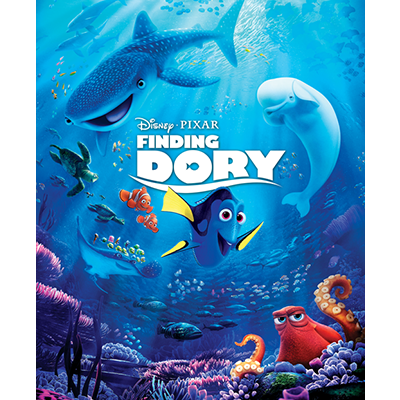
Google Forms: Finding Dory Quiz, and Contact Information

We read the book Finding Dory as a class. We discussed the book and answered some Who, What, When, Where, and Why questions to get our brains a running. Then as a class we went to the computer room and all took a little quiz.

Image result for finding dory pictures from disney
Picture: Copy Write by Disney May 3rd 2016

UEN STANDARDS: English Language Arts Grade 2nd
Standard 1: reading literature, ask questions like who, what, when, where, why and how to demonstrate understanding of key details in text.
Standard 2: reading literature, recount stories, including fables and folktales from diverse cultures and determine their central message lesson or moral.
Standard 3: reading literature, describe how characters in a story respond to major events and challenges. 

ISTE Standards: 1, 2, and 3
ED-Tech Standards: 8

It first I was trying to figure out Google docs/forms because I usually use Microsoft Word. I have used Google a few times but now enough to just jump on and do it with out having to learn some new things. I never knew you could create quizzes, and better yet they even can grade the quizzes for you! I LOVED this tool (Google Forms)!! and I feel like I am going to use it a lot in my future class. It takes some time on my end to come up with the questions and to get on and type them up in the Google Form, but I feel like it does save me a lot of time in the long run with grading and recording scores. I feel like I will create some quizzes and either have some classroom tablets/ipads for a group of students to take the quiz, or even if we had time and no one was in the computer room we could just go there as a class and take it all at the same time. If I taught older students and had them present a project in class about a subject I could have them also create a small little quiz, so that we could make sure their peers were listening and learning. So many fun ideas and things you can do with Google Forms. 
I also created a Google Form to collect contact information from all my students parents so that I would have it all in one place and that it was easy to fill out. I feel like I would have a computer open and it pulled up, at the beginning of the year at meet your teacher night. That way parents can easily just fill it our while they are waiting to meet me. That way I would have their numbers off the bat to  call them if I needed anything, and also so that they could let me know about any concerns they had about their child or even allergies and such.


Thursday, January 12, 2017

Pinterest: 4th Grade Health

A calm down plan to help children of all ages learn to manage big emotions in socially acceptable ways.:


Pinterest: is a great tool for teachers. They can get ideas on any subject they are teaching, art projects, class management, and class organization. I personally use Pinterest for so many other things as well, so I was more familiar with it than others might be. Students may have a Pinterest, and they might be able to use this tool as well. Maybe in my future class we can have a class Pinterest and so anyone can get on and maybe post something on a board of things that they would like to learn. I like it so that I can continually go back and look at those ideas that I have saved, because maybe I do not use them that week but I could go back and use them when I am teaching something that is relevant. I would recommend this tool to any and all teachers.

UEN content standard: 4th Grade Health Education
  • Healthy Self - Students will learn ways to improve mental health and manage stress.
  • Substance Abuse Prevention -  Students will adopt health promoting and risk reducing behaviors to prevent substance abuse.
  • Human Development and Relationships - Students will understand and respect self and others related to human development and relationships.
  • Disease Prevention and HIV/AIDS education -  Students will understand concepts related to health promotion and disease prevention.
  • Safety and Injury/Violence Prevention - Students will adopt behaviors to maintain personal health and safety and develop appropriate strategies to resolve conflict.
  • Nutrition and Fitness - Students will understand how a healthy diet and exercise can increase the likely-hood of physical and mental wellness.
  • Consumer and Community Health - Students will understand the value of service and effective consumer practices. 
Ed-Tech Standards: Standard 5, Standard 8. 
Iste Standard: Standard 4

Here Is what I found on Pinterest to help me teach these things to my students and to understand what they need to be learning, and be prepared for the questions that they may have so I can answer them the best that I can and on a level that they understand. 

Mrs.Wilbur's class learned all about their senses.

https://www.thinglink.com/scene/876166428707782657

A fun way to show what they learned.